26.07.2026
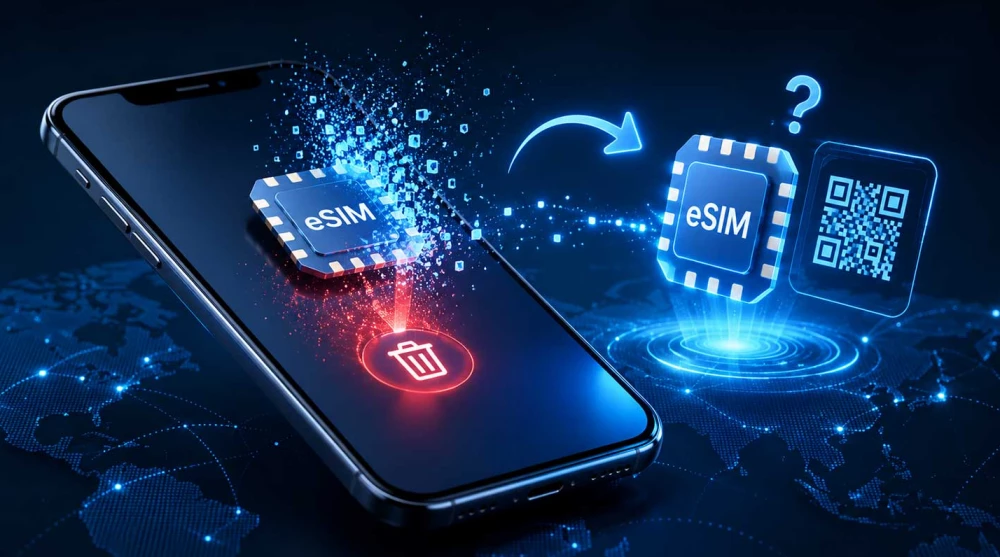
Picture this: you are preparing for an upcoming international vacation, organizing the settings on your smartphone, or trying to troubleshoot a minor network glitch during your trip. You navigate to your cellular settings, swipe across your digital SIM profile, and hit "Delete." Instantly, your network connection vanishes. Panic sets in. Your immediate first thought is likely: "Can I just scan the QR code again to get it back?"
This is one of the most common situations travelers find themselves in when navigating digital connectivity. Because an eSIM feels like a piece of software or a downloadable app, it is entirely logical to assume that you can simply delete it and redownload it whenever you please. However, telecommunications technology operates under much stricter security protocols than standard mobile applications.
In most cases, no. Travel eSIMs usually cannot be reinstalled after deletion because the activation QR code is single-use. If you accidentally remove your eSIM, contact your provider before purchasing a new one.
The short answer to whether you can reinstall an eSIM is that it heavily depends on your specific mobile provider. However, for the vast majority of prepaid travel eSIMs on the market, reinstalling a deleted profile is not possible. Once it is removed from your device, that specific digital profile is gone forever.
To understand why this happens and what you can do if you find yourself in this predicament, we need to dive into how this technology actually works behind the scenes and look at how different scenarios affect your ability to get back online.
To understand the consequences of deleting an eSIM, it helps to understand what an eSIM actually is. Unlike a physical plastic SIM card that you can take out of one phone and insert into another, an eSIM (embedded SIM) is a tiny, rewritable microchip soldered directly into your phone’s motherboard, known as the eUICC.
When you scan an activation QR code, you are downloading a highly secure, encrypted cellular profile directly onto that specific microchip. This profile contains the network credentials required to authenticate your phone on a local carrier's cellular towers.
When you press "Delete" (or "Remove Cellular Plan" on some operating systems) in your smartphone’s settings, several things happen instantly:
For the vast majority of travel eSIM providers, the answer is a definitive no.
When you purchase a travel data plan, the QR code you receive in your email is essentially a one-time-use digital boarding pass. Its sole purpose is to securely facilitate the initial download of the cellular profile from the provider's servers to your specific smartphone.
Once that initial download is successful and the profile is installed, the QR code has fulfilled its purpose. The activation servers register that the code has been consumed and deployed to a specific device. If you try to scan that exact same QR code a second time—whether on the same phone after deleting it, or on a completely different phone—the system will block it.
| Situation | Can You Reinstall? |
| Deleted before activation | Sometimes (Depends on provider support) |
| Deleted during trip | Usually No (Requires a new plan) |
| QR code already used | No (Code is permanently burned) |
| Provider offers replacement | Yes (New QR code issued) |
| Physical SIM Card | Yes (Re-insert into phone) |
Typically, scanning a used QR code results in an immediate error message. On Apple iPhones, you will usually see a prompt stating, "Unable to Add Cellular Plan: This code is no longer valid." On Android devices, you might see, "Network profile already downloaded or cannot be added." Because the code is single-use, attempting to force a reinstallation will only lead to frustration.
It is easy to view this single-use restriction as an inconvenience designed to force travelers to buy more data, but the reality is deeply rooted in digital security and network integrity.
If you have accidentally deleted your profile, your next step should be contacting the company that sold it to you. Whether they can help depends on their backend technology and company policies:
Important: Always check your provider's policy before deleting an eSIM.
This is a very real scenario. You buy your data plan a week before your flight, install it at home as recommended, and then, while clearing out old settings, you accidentally delete the new profile.
If this happens, do not immediately buy a new eSIM.
Because you are still at home and have not traveled to your destination yet, the eSIM has not connected to the foreign network, meaning the data plan timer has not started. You should immediately contact your provider's customer support team, provide your order number, and explain that you accidentally deleted the profile prior to activation.
Providers are generally much more lenient in this specific scenario. Because system logs can verify that zero megabytes of data have been consumed and the profile never connected to a local cell tower, support is far more likely to issue a replacement QR code or process a refund so you can purchase a new one without losing money.
This is a much more stressful situation. Often, travelers experience a temporary drop in cellular signal while abroad and mistakenly believe that deleting the eSIM and scanning it again will "refresh" the connection. Instead, they end up completely disconnected from the network.
If you delete your profile while actively traveling:
If your eSIM stops working while you are abroad, deleting it should never be your first troubleshooting step. Deleting the profile erases your digital credentials completely, turning a simple configuration fix into a major headache.
If you experience network issues or lose internet access, follow these troubleshooting steps in order instead:
When discussing deleting and reinstalling, many people confuse these terms with "transferring" an eSIM. Understanding the distinctions helps avoid confusion:
Apple iOS and select Android devices feature "Quick Transfer" tools that allow moving an active cellular plan to a new device via Bluetooth. However, this feature almost exclusively works for domestic monthly carriers (like AT&T, Vodafone, or T-Mobile).
Prepaid travel eSIM profiles generally do not support native device-to-device transfers. If you buy or switch to a new phone during your vacation, you cannot simply transfer your travel eSIM. You will likely need to contact support or purchase a new profile for the new device.
Losing access to your mobile data in a foreign country is inconvenient, but it is preventable if you follow a few basic guidelines regarding digital profile management:
While you should avoid deleting an active profile during a trip, cleaning up old settings eventually becomes necessary. Modern smartphones can hold several inactive profiles simultaneously, but clearing out old data packages keeps your device organized.
It is completely safe to press delete when:
If you're planning a trip soon, choose a travel eSIM that matches your destination. Whether you're exploring Europe, Asia, or Latin America, installing the right eSIM before departure helps you avoid roaming charges and stay connected from the moment you arrive.
The convenience of digital connectivity makes international travel seamless, but it requires a careful approach to device settings. Never delete your travel eSIM hastily. For the vast majority of travel data providers, activation QR codes are strictly single-use to guarantee digital security and prevent network abuse.
If you ever experience a network issue while traveling, temporarily toggle the eSIM off or restart your phone rather than erasing the profile. If an accidental deletion occurs, reach out to customer support before purchasing a new package.
In most cases, you cannot reinstall a travel eSIM once it has been deleted from your device. The activation QR code provided by the majority of carriers is strictly for single-use to ensure digital security. If you remove the profile from your cellular settings, you will permanently lose access to that specific connection.
When you delete your eSIM, the digital profile and network credentials are permanently erased from your phone's internal microchip. This action immediately disconnects you from the local mobile network, leaving you without cellular data. You will usually need to contact your provider's customer support to see if a replacement code can be issued.
Telecommunication companies make QR codes single-use to prevent network bandwidth abuse and protect against severe security threats like SIM swapping. Once a code is scanned, the digital profile cryptographically binds to your smartphone's unique hardware identifier. Allowing multiple scans of the same code would enable someone else to easily clone your mobile connection.
No, deleting the eSIM profile from your smartphone does not cancel your active data plan with the telecom provider. Your purchased package remains active on the operator's backend servers, and the validity timer will continue to count down. You have simply discarded the only digital key required to access your data on the network.
Yes, you will need a completely new profile because the original activation code is permanently burned after the first successful installation. You must reach out to your connectivity provider to request a brand-new QR code. Depending on their specific policies, they might generate a replacement for free, charge a small fee, or require you to buy a new package.
You cannot recover the deleted profile directly from your phone's settings once it has been erased from the motherboard. Your only option for recovery is to contact your eSIM provider's support team to check if their system allows re-issuing a new code for your remaining data. If their automated systems strictly forbid replacements, you will have to purchase a new data plan.
It is completely safe to delete your travel eSIM once you have returned home and no longer need access to the foreign network. Removing old, expired profiles helps keep your device's cellular settings organized and frees up space on your internal chip. Just ensure you will not need to top up that specific profile for future trips before hitting delete.
No, you cannot transfer a prepaid travel eSIM to a different device, regardless of whether it is currently active or deleted. Native smartphone transfer features via Bluetooth only work for domestic monthly carriers, not temporary travel plans. If you switch phones during your vacation, you will need a newly generated profile from your provider.
If you experience connection issues while traveling, never delete your profile as a first troubleshooting step. Instead, try restarting your phone, toggling Airplane Mode, or manually selecting a different local network operator in your settings. If you want to temporarily stop using the travel data, simply toggle the "Turn On This Line" switch to the off position.
If you accidentally erased the profile while still at home, do not immediately buy a replacement plan. Contact your provider's customer support and explain that the profile was deleted prior to departure. Because system logs will easily verify that zero data was consumed, they are highly likely to issue a replacement QR code without extra charges.