16.06.2026
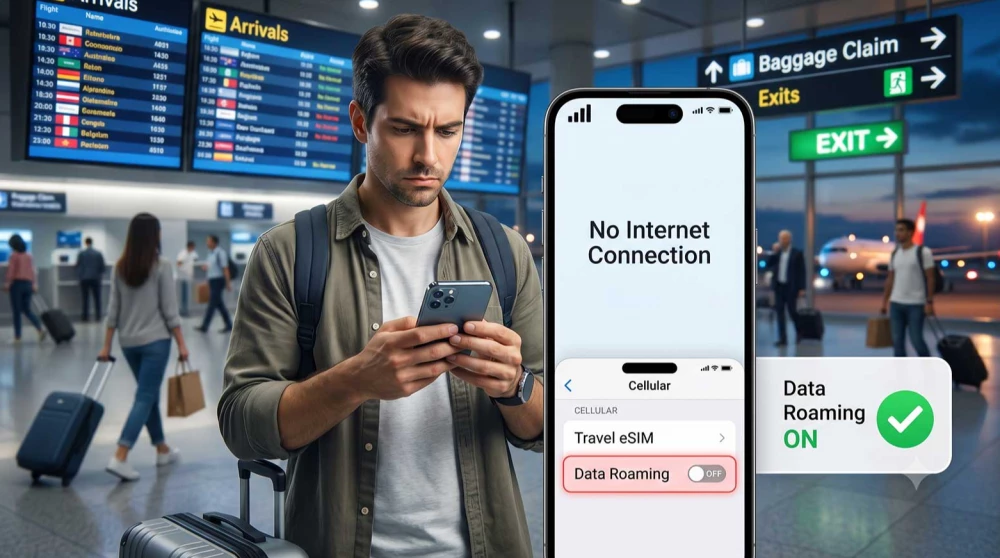
Many travelers panic when they land, turn on their phone, and see signal bars but no internet. You bought a data plan, your phone recognizes the network, but nothing loads.
Usually, the fix is a single button: Data Roaming.
For years, we’ve been trained to keep roaming switched off to avoid massive phone bills. But with most travel eSIM plans, enabling roaming is a technical requirement. If you leave it off, your digital profile gets blocked from accessing the internet.
Before we dive into the settings, take a moment to check whether your phone supports eSIM to ensure your device is ready for digital connectivity.
In this guide, we break down why travel eSIMs need roaming, how to enable it safely without getting charged by your home carrier, and provide a rapid troubleshooting checklist.
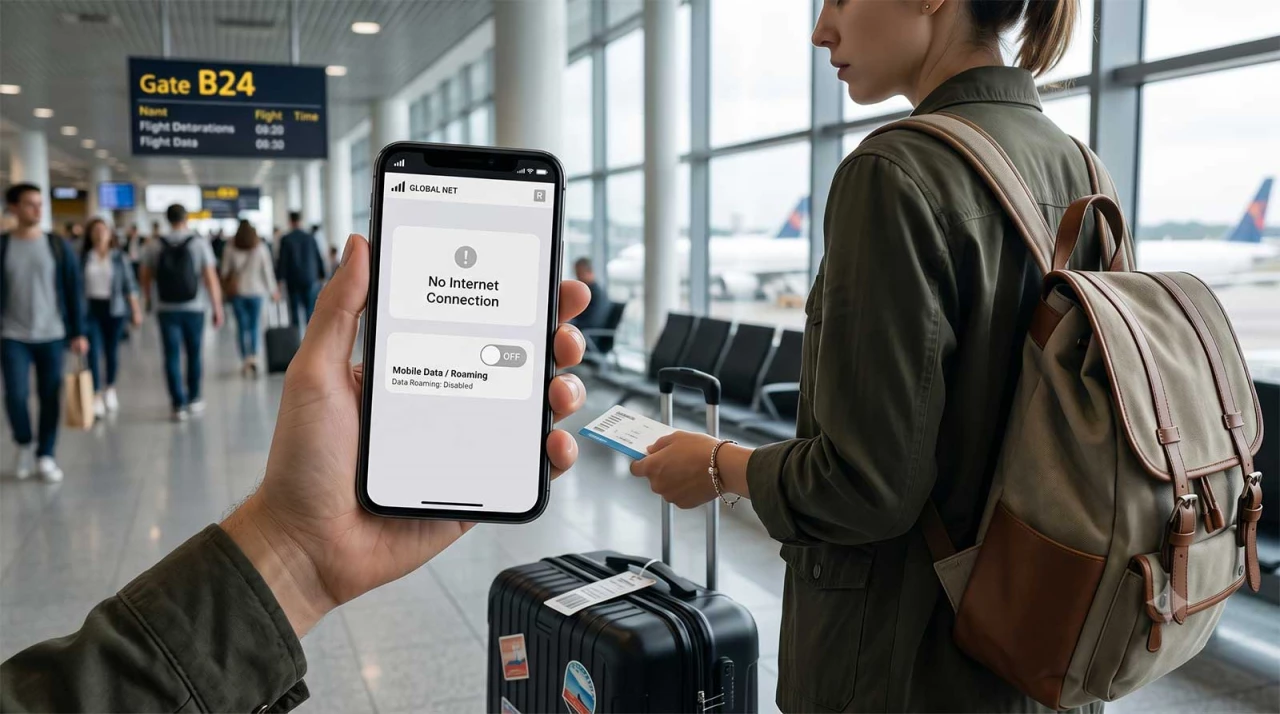
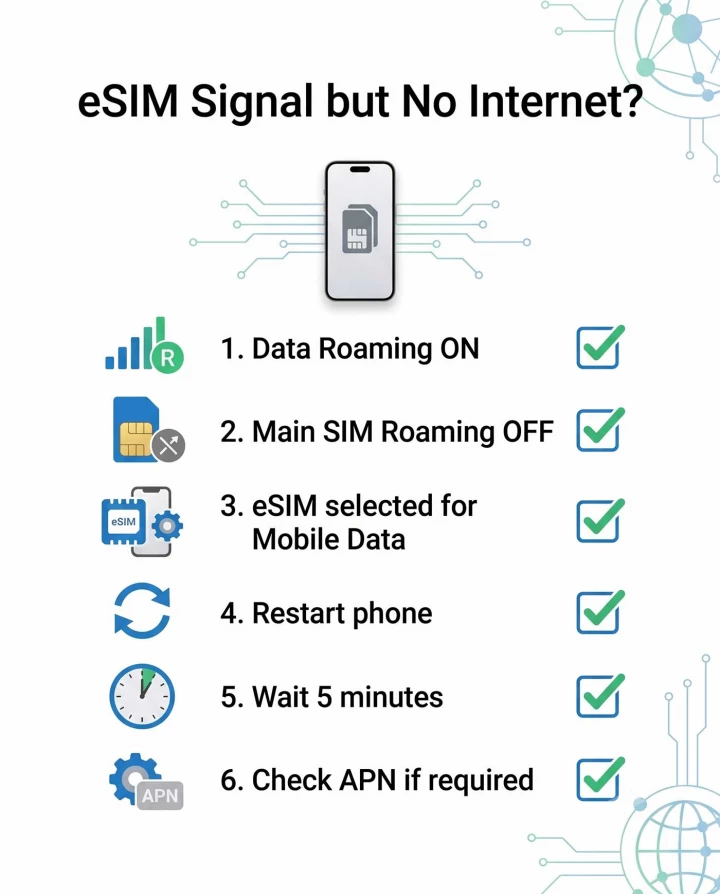
If you are stuck at the airport without a connection, run through this diagnostic checklist to get online immediately:
Data Roaming allows your phone to connect to mobile networks outside your primary carrier’s physical coverage area.
When you use a standard local SIM card, you are connecting directly to that specific company's towers. Travel eSIMs work differently. Instead of issuing a strict local profile for every single country, digital travel providers use global roaming infrastructure. We work with established operators worldwide to ensure your phone can seamlessly jump between the best available networks.
Because your eSIM is acting as an authorized guest on these local networks, the "Data Roaming" toggle must be enabled. Without it, your phone’s operating system will actively block the connection.
This roaming setup is mandatory for:
When a country mandates extensive documentation for purchasing a local SIM card, utilizing a travel eSIM bypasses the hassle completely. The setup process takes about 5 minutes. Always ensure you carefully read the package you are purchasing so you know exactly which networks are supported.
No. This is the biggest misconception about using an eSIM.
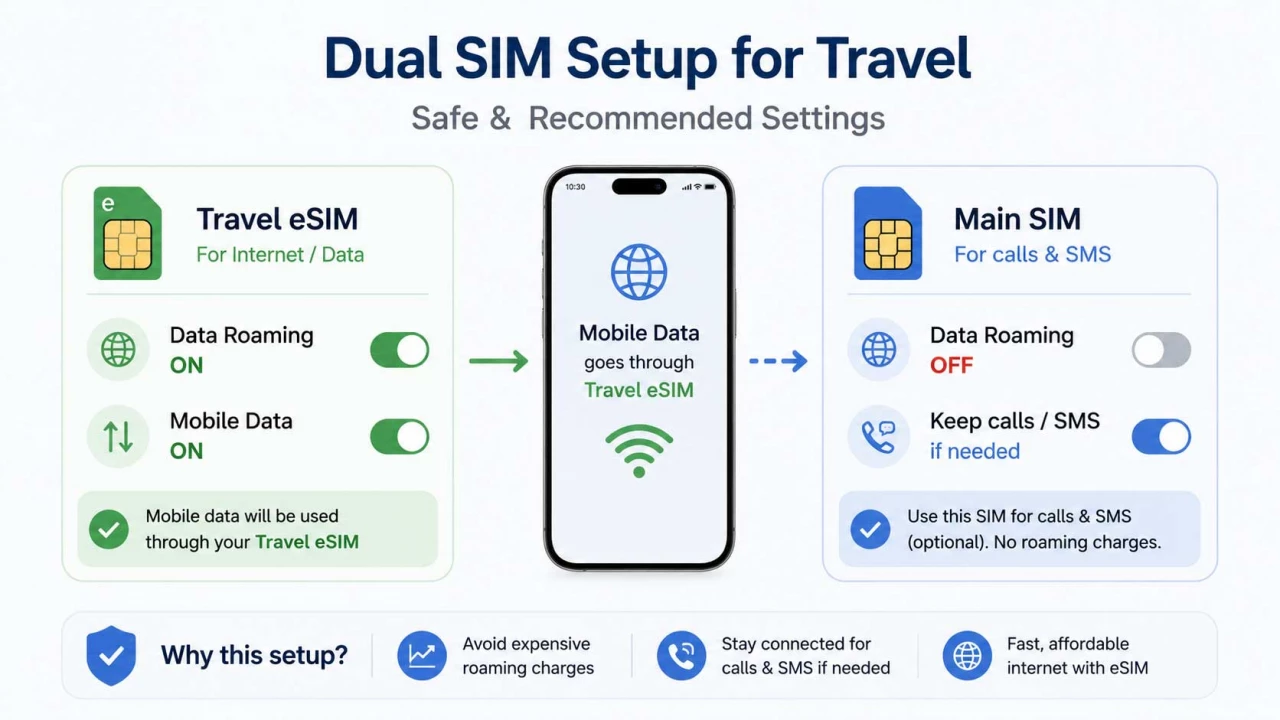
If mobile data is assigned strictly to your prepaid eSIM, turning on Data Roaming for that specific line will not generate unexpected charges. The eSIM is a closed, prepaid system. Once your data runs out, the internet simply stops.
However, roaming charges can still happen if you configure your phone incorrectly. If you leave Data Roaming enabled on your main home SIM card, your domestic provider will charge you for background data.
The Safe Dual-SIM Setup:
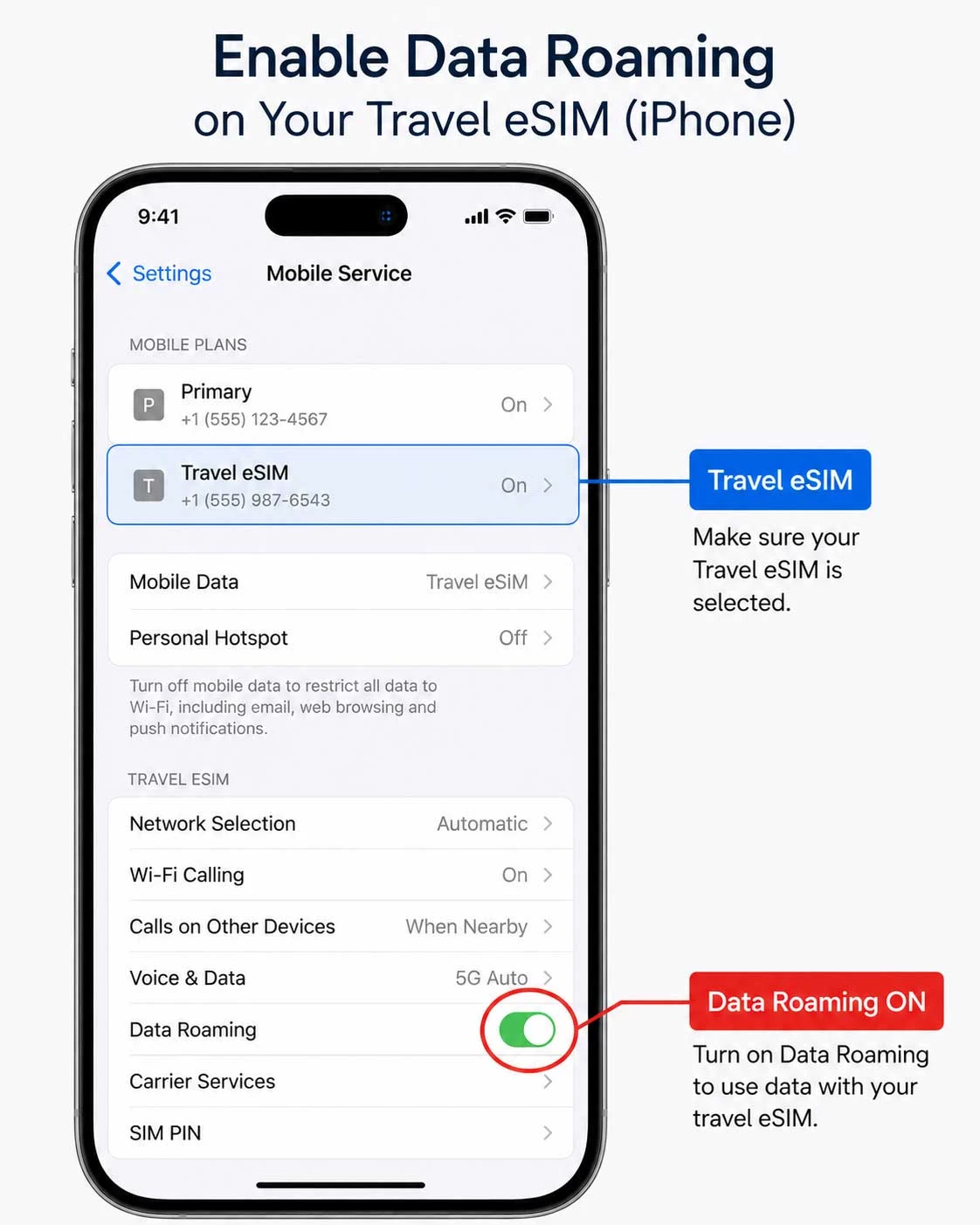
iOS makes dual-SIM management straightforward, but the required toggles are slightly buried in the menus.
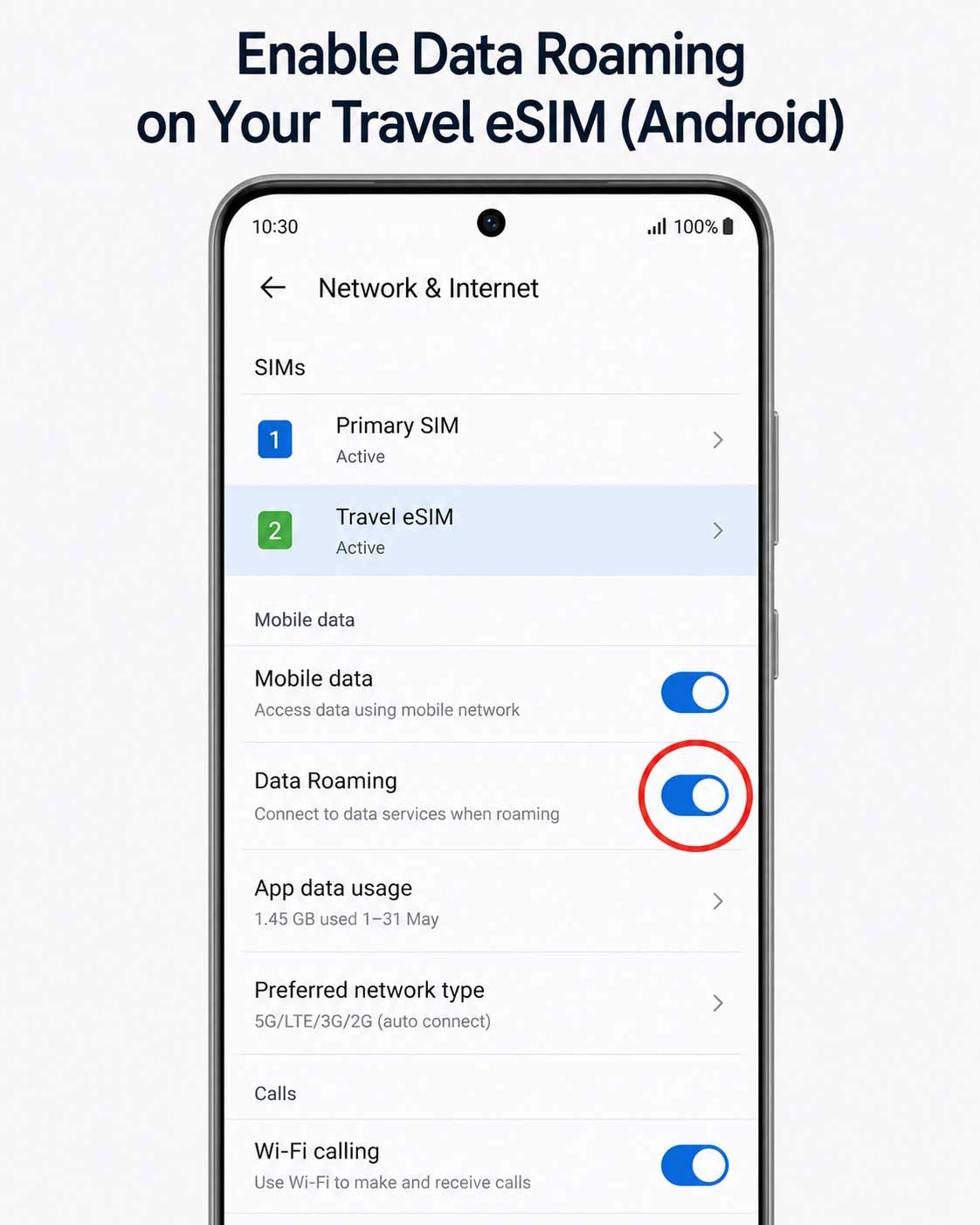
Menu names on Android vary slightly between Google Pixel, Samsung, and Motorola, but the logic is identical.
If you flipped the switch and are still offline, you might be dealing with a minor configuration issue. If your eSIM has signal but no internet, check these factors:
Most profiles configure the Access Point Name (APN) automatically. Occasionally, a network requires manual input. Check your installation email. If an APN is provided (like "globaldata"), enter it in your cellular settings.
Make absolutely sure your phone isn't still trying to pull data from your home SIM. The eSIM must be designated as the primary data line.
Telecommunications can be slow to register a new device. After you land and turn off airplane mode, it can take a few minutes for the initial handshake with the foreign cell tower to complete. Give it a moment to stabilize.
Avoid these frequent pitfalls to ensure a smooth connection:
Does eSIM require roaming?
Yes. The vast majority of travel eSIMs require Data Roaming to be enabled because they utilize global partner networks to provide you with internet access outside your home country.
Can roaming charges still happen?
Not from the eSIM itself, as it is a prepaid service. However, roaming charges can happen if you leave Data Roaming enabled on your primary home SIM card, allowing it to consume background data at international rates.
Should I disable roaming on my main SIM?
Yes. To be completely safe from unexpected bills, turn off Data Roaming on your main domestic SIM card before you depart, and ensure your phone is set to use the eSIM exclusively for mobile data.
Why does my eSIM have signal but no internet?
The most common reason is that Data Roaming is turned off in your settings for the eSIM line. Other reasons include incorrect APN settings, network registration delays, or failing to set the eSIM as the active mobile data line.
Does roaming need to stay enabled permanently?
It only needs to stay enabled on the eSIM profile for the duration of your trip. Once you return home and switch back to your primary SIM for mobile data, you can disable the travel eSIM entirely.
Yes, absolutely. Most digital travel plans require "Data Roaming" to be turned on. This is because they use global partner networks to connect you to the internet abroad. Without this setting enabled, your phone's operating system will actively block the connection.
The most common reason is simply forgetting to turn on Data Roaming in the settings for your new eSIM line. Other reasons include: not selecting the digital profile as your primary source for mobile data, a temporary delay in registering with the local network, or needing to configure manual APN settings.
No. The digital travel plan itself is a fully prepaid service. Turning on roaming specifically for the eSIM will not generate any additional or hidden fees. You pay upfront for a specific data package. Once you use it up, the internet simply stops.
Yes. This is the most crucial step to avoid high bills. Turn off Data Roaming for your main home card before your flight. This keeps it active for receiving voice calls and important SMS messages (like banking codes) without consuming expensive background data.
After installing the profile, you must explicitly tell your phone which card to use for the internet.
It usually takes just a few minutes after landing and turning off airplane mode. Sometimes, the initial "handshake" with the foreign network can take a little longer. Be patient, let your phone search naturally, and never delete the profile if it doesn’t work instantly.
APN (Access Point Name) is the gateway your phone uses to connect to the mobile internet. Almost all HandySIM plans configure this automatically. Rarely, a specific network might require manual entry (for example, typing "globaldata"), which will be clearly stated in your installation instructions.
If you turned on roaming but still have no connection, try this:
Yes, but only for your digital card profile and only for the duration of your trip. Once you return home and switch back to your main card for the internet, you can turn off the travel profile completely.
The most frequent mistakes that leave travelers offline are: