18.05.2026
If you travel regularly, a smartphone that supports digital SIM technology is no longer just a luxury—it is an absolute necessity. Instead of hunting for physical retail kiosks at a chaotic airport after a 10-hour flight, you can activate mobile data online and connect to a local network the moment your plane lands.
Having instant connectivity completely changes how you experience a new destination. It means you can immediately order a ride via Uber or Bolt, load your hotel directions on Google Maps, or message your family on WhatsApp before you even reach the baggage claim. It also protects you from the massive bill shock associated with traditional data roaming charges from your home network operator.
However, many people still buy budget devices without realizing they lack digital SIM support. While flagship devices have universally adopted this technology, the budget and mid-range smartphone market is still highly fragmented.
Some regional models, particularly those manufactured for specific Asian markets, even have this functionality disabled completely at the hardware level. Buying the wrong device right before a big trip can leave you stranded without data.
Before upgrading your device or buying a secondary phone for your trips, it is critical to verify compatibility. Check if your specific model number appears in our updated full list of eSIM compatible devices.
If you are new to the concept of downloading a digital network profile, it is also highly recommended to read up on how eSIM works and what you need to know so you fully understand the activation process.
Whether you need an affordable Android specifically for international trips, a reliable backup device to use as a laptop hotspot, or the most affordable Apple device available, the models below offer fantastic value and highly reliable global connectivity.
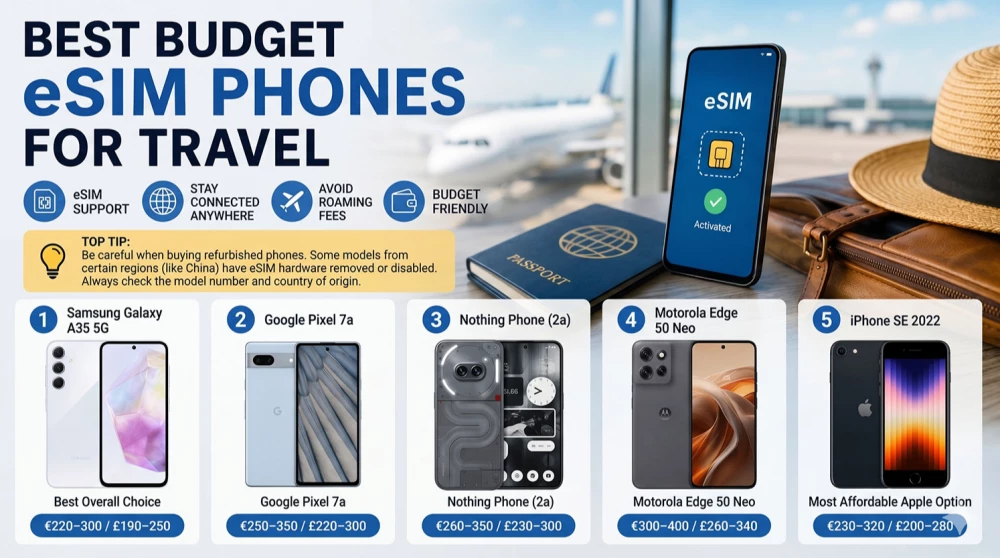
TOP TIP: Be incredibly careful when buying refurbished or second-hand phones from third-party marketplaces. Devices imported from regions like China, Hong Kong, or Macau often have eSIM functionality permanently disabled. Always verify the exact model number and origin before purchasing.
Approximate Price: €220–300 / £190–250
The Samsung Galaxy A35 5G is arguably the safest and most balanced choice for travellers looking for a reliable device without paying premium flagship prices. Samsung has refined its mid-range lineup to offer features that directly benefit frequent flyers and backpackers.
Battery endurance is the most critical feature when navigating a new, unfamiliar city. The Galaxy A35 is equipped with a massive 5000mAh battery cell. This easily lasts through a full travel day of heavy GPS usage, taking dozens of photos, and constantly checking live translation apps or public transit schedules.
The display is another major advantage for outdoor use. The 120Hz Super AMOLED screen is incredibly bright, pushing enough nits to make reading Google Maps under direct midday sunlight completely effortless. It also makes watching downloaded Netflix shows during long airport layovers a visually rich experience.
When it comes to connectivity, European versions of this device offer incredibly stable network support. Samsung’s One UI software includes a highly intuitive SIM manager, making it very simple to toggle your home physical SIM off for data, while keeping your digital travel profile active. You won't struggle with unexpected network drops when crossing borders.
Additionally, Samsung includes Knox security, which is highly beneficial for travellers who need to access mobile banking apps while connected to public hotel or airport Wi-Fi networks.
Who is this best for?
Downsides:
Approximate Price: €250–350 / £220–300
The Pixel 7a is the perfect budget smartphone for travellers who care deeply about photography. Despite its mid-range price tag, it utilizes the same computational photography algorithms as Google's high-end Pro models, delivering premium-level image quality for your vacation photos.
Google’s Pixel series has historically been one of the absolute most reliable Android options for digital SIM usage. Because Google develops the Android operating system natively, the integration of network profiles is flawless. Activating a new travel profile via QR code is instant, and switching between different downloaded profiles takes mere seconds.
The device features a compact and fairly lightweight design. It is highly pocketable and easy to use with one hand, which is crucial when you are dragging heavy luggage through a crowded train station or holding a coffee.
Software optimization is where the Pixel 7a truly shines for international travel. It features Google's Tensor G2 chip, which powers exclusive on-device AI features. Live translation of foreign menus through the camera, offline map rendering, and the Call Screen feature (which helps block expensive spam roaming calls) are invaluable tools when navigating foreign countries.
Furthermore, the Magic Eraser tool in Google Photos allows you to easily remove background photobombers from your landmark pictures with a single tap.
Who is this best for?
Downsides:
Approximate Price: €260–350 / £230–300
The Nothing Phone (2a) is a breath of fresh air in the budget smartphone market. It combines exceptional battery life with incredibly smooth performance, while its unique transparent back design and glowing Glyph interface definitely make it stand out in a crowd.
For frequent flyers who regularly use data roaming, the highly efficient MediaTek Dimensity chipset makes this an incredibly practical tool. It handles long international flights, continuous Bluetooth audio streaming to noise-cancelling headphones, and all-day laptop hotspot usage effortlessly without severely draining the battery.
The minimalist Android interface, known as Nothing OS, is entirely free of unnecessary bloatware. This is a massive hidden benefit for travellers: fewer pre-installed junk apps mean fewer background processes consuming your data. This helps preserve both your daily battery life and your precious, limited travel data allowance.
The 120Hz AMOLED screen is sharp, vibrant, and features symmetrical bezels. The high contrast ensures that digital boarding passes, train QR codes, and hotel booking confirmations scan perfectly on the first try, every single time.
The Glyph interface on the back isn't just a gimmick; the LED lights can be used as a soft fill light for taking food photos in dimly lit foreign restaurants, or set to flash silently for important notifications when your phone is facedown in a quiet hostel or train carriage.
Who is this best for?
Downsides:
Approximate Price: €300–400 / £260–340
As modern smartphones become larger and heavier every single year, the Motorola Edge 50 Neo offers a highly refreshing, compact alternative. Weighing significantly less than its direct competitors, it is an absolute joy to carry in a small travel crossbody bag or a front pocket.
Despite its smaller footprint, it handles heavy travel tasks flawlessly. Turn-by-turn navigation, ride-sharing apps, and simultaneous web browsing operate incredibly smoothly. If you want a capable device that doesn't feel like a heavy brick in your hand after a long day of exploring a new city, this Motorola hits the perfect sweet spot.
Motorola utilizes a very clean, near-stock version of Android, heavily inspired by Google's Pixel UI. This ensures that the interface remains snappy and responsive. Crucially, switching between your primary domestic number and your international data profile is handled natively and simply within the network settings, without any confusing third-party software overlays.
One of the best features for travellers is its rapid charging capability. When you are rushing between destinations, a quick 15-minute top-up at an airport lounge or a local coffee shop will give you enough battery juice for several more hours of intensive exploring and navigation.
It also includes "Moto Actions"—convenient gesture controls that allow you to turn on the flashlight with a quick "chop" motion, which is incredibly useful when walking down poorly lit streets at night.
Who is this best for?
Downsides:
Approximate Price: €230–320 / £200–280
The Apple iPhone SE (3rd generation) remains the absolute most affordable way to secure a brand-new Apple device with full digital profile support. For users deeply entrenched in the Apple ecosystem, this phone provides a seamless travel experience without breaking the bank.
Powered by the robust A15 Bionic chipset—the exact same processor that powers the iPhone 13 series—the phone is lightning fast and highly stable. More importantly for budget buyers, this powerful chip guarantees that the device will receive crucial iOS software updates and security patches from Apple for many years to come.
The iPhone SE allows budget-conscious travellers to utilize dual SIM functionality flawlessly. You can easily keep your physical home SIM active purely for receiving iMessage texts, critical phone calls, or banking SMS verification codes. Simultaneously, you can route all your heavy web surfing, map loading, and social media uploads through your affordable local travel data plan.
The classic hardware design includes the familiar physical Home button equipped with Touch ID. Many frequent travellers still heavily prefer fingerprint unlocking over Face ID, as it allows for immediate unlocking while wearing heavy sunglasses, winter scarves, or face masks during transit.
Furthermore, having an iPhone means native integration with Apple AirTags, allowing you to precisely track your checked luggage globally straight from the Find My app.
Who is this best for?
Downsides:
| Feature | Samsung Galaxy A35 5G | Google Pixel 7a | Nothing Phone (2a) | Motorola Edge 50 Neo | iPhone SE 2022 |
| Approx. Price (€) | €220–300 | €250–350 | €260–350 | €300–400 | €230–320 |
| Approx. Price (£) | £190–250 | £220–300 | £230–300 | £260–340 | £200–280 |
| eSIM Support | Yes | Yes | Yes | Yes | Yes |
| Battery Life | Excellent | Good | Excellent | Very Good | Average |
| Camera | Good | Excellent | Good | Very Good | Good |
| Display | AMOLED 120Hz | OLED 90Hz | AMOLED 120Hz | pOLED 120Hz | LCD |
| Size | Large | Compact | Large | Compact | Very Compact |
Purchasing the right smartphone is only the first step. Knowing exactly how to configure your network settings before you fly will save you from frustration and potential roaming fees. The activation process takes about 5 minutes. Additionally, ensure you carefully read the package you are purchasing to confirm data limits, validity periods, and the exact list of included countries.
Activate Before Departure
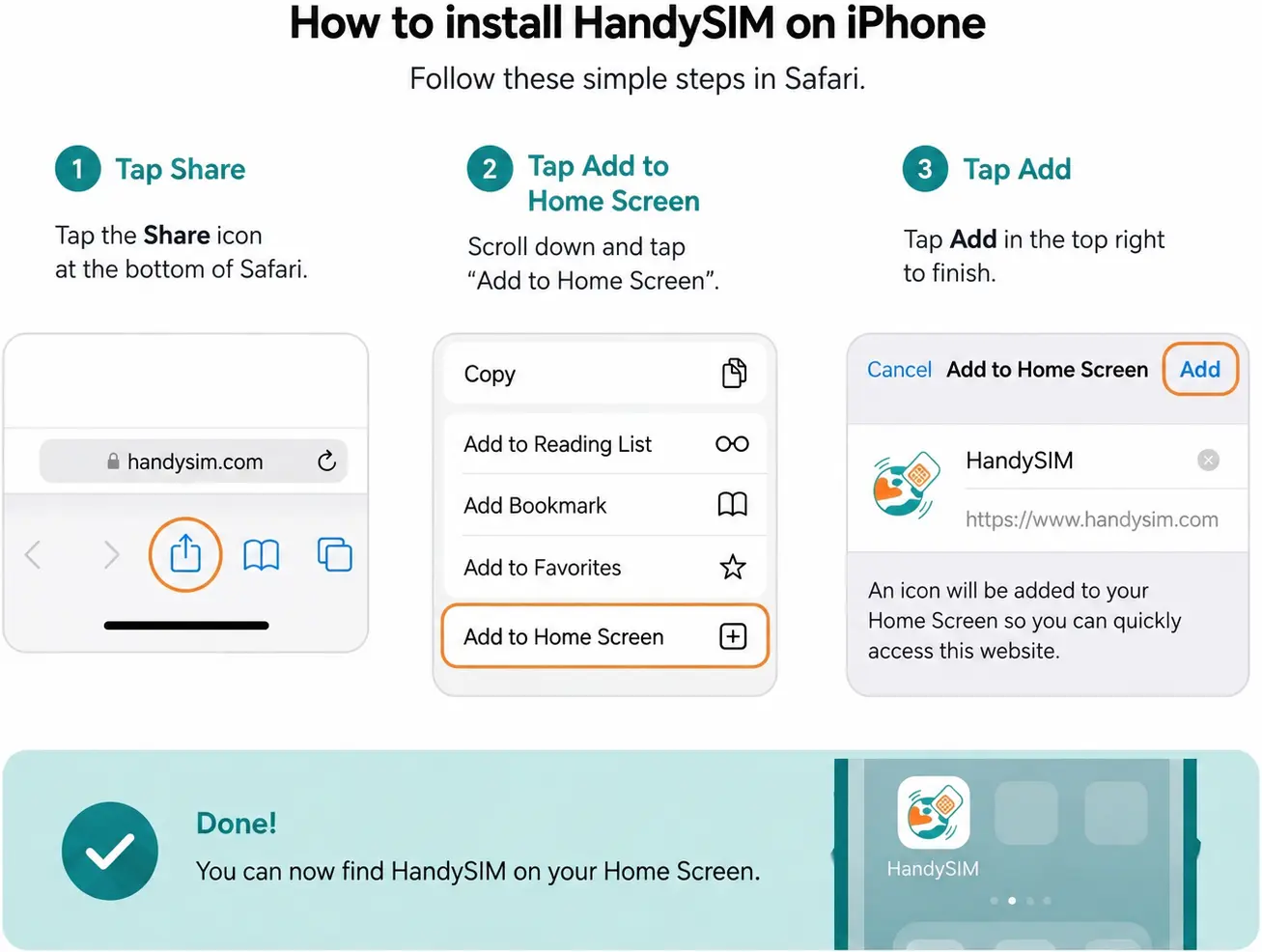
Never wait until you arrive at your destination to set up your phone. Install your downloaded profile while you are still securely connected to a stable home Wi-Fi network. This ensures the profile downloads correctly without interruption. If you are unsure of the exact menu steps, you can watch a quick, step-by-step tutorial on how to install eSIM.
Turn On Data Roaming
Most international travel providers operate by utilizing local roaming agreements with major domestic networks. Because of this technicality, the "Data Roaming" toggle within your phone's settings needs to remain enabled specifically on your newly downloaded digital line. If you land and find that your eSIM has signal but no internet, checking this specific toggle is always step one of troubleshooting.
Regional Plans Save Money
If your itinerary involves crossing multiple borders, regional plans are infinitely more practical and affordable than buying single packages for every stop. For example, a comprehensive travel eSIM for Europe allows you to move seamlessly between France, Germany, and Italy without ever losing coverage.
Similarly, if you are heading east on a backpacking trip, consider an Asia eSIM to cover multiple territories. If your adventures take you south, a Latam eSIM will keep you securely connected across South America.
Single Destination Plans
Conversely, if your trip is heavily focused on a single location, dedicated country plans always offer the best value and the highest priority network speeds. Whether you specifically need mobile internet in Japan for navigating the complex Tokyo subway, reliable high-speed data in the USA for long road trips, or tailored eSIM plans for Türkiye, specialized packages ensure you are always on the fastest local towers.
Keep Your Home Number Active (Carefully)
One of the greatest benefits of modern budget phones is dual SIM functionality. You can keep your primary domestic number active purely for receiving important phone calls, text messages, and crucial banking app verifications. However, you must dive into your settings and ensure your primary line has its data roaming completely switched off to avoid high carrier bills from your home provider. Route all mobile data exclusively through your travel profile.
A modern smartphone equipped with dual network capabilities makes international travelling fundamentally simpler. Instead of wasting precious vacation time standing in line at airport kiosks, negotiating prices in foreign languages, or fumbling with tiny SIM ejector tools on a turbulent flight, you get online immediately. You can start enjoying your trip the second you clear customs.
For the vast majority of users, the Samsung Galaxy A35 5G stands out as the most logical, well-rounded budget choice thanks to its massive battery endurance and brilliant screen for outdoor navigation.
However, every single model listed in this guide offers reliable digital connectivity and distinct advantages. Whether you prioritize camera quality, extreme portability, or the Apple ecosystem, upgrading to any of these highly capable devices will help ensure your upcoming travels remain stress-free, cost-effective, and fully connected.
An eSIM (embedded SIM) is a digital, programmable SIM card built into your phone's hardware by the manufacturer. It does exactly the same job as a traditional plastic SIM—connecting you to a cellular network—but operates without any physical card.
Instead of opening a SIM tray, you download a digital profile (usually via a QR code) over the air. This profile installs securely on a dedicated chip inside your device. For travellers, it completely eliminates the need to buy local plastic SIM cards at airport kiosks, allowing you to switch carriers instantly online.
The fastest way to check is by looking into your phone's settings menu or by checking a specific dialer code.
Note: Always remember to verify that your specific model number is on an updated full list of eSIM compatible devices before assuming it will work.
Yes, you can absolutely use both simultaneously. This configuration is known as Dual SIM, Dual Standby (DSDS) mode.
When travelling, you can leave your primary domestic plastic SIM card in the slot to receive critical calls, text messages, and two-factor authentication codes from your bank. At the same time, you can set your downloaded digital travel profile as the dedicated line for all mobile data traffic, ensuring you never pay expensive carrier data roaming fees.
No, not all Samsung devices support this technology. Samsung generally reserves digital SIM compatibility for its premium flagship devices, such as the Galaxy S-series (starting from the Galaxy S20 and newer), the Galaxy Note 20, and all Galaxy Z Fold and Z Flip foldable models.
In the budget-friendly and mid-range segments, compatibility is highly limited. For example, older Galaxy A-series models lack the hardware entirely. Newer mid-range entries like the Samsung Galaxy A35 5G and Galaxy A55 5G do support it, but you must always read the package specifications carefully to ensure your regional variant includes the chip.
Generally, smartphones manufactured directly for mainland China do not support digital SIM profiles. Due to regional regulatory and telecommunications constraints, devices built for the Chinese, Hong Kong, and Macao markets usually feature dual-physical SIM slots instead of a digital chip.
This is why you must be incredibly careful when purchasing refurbished or second-hand phones online. Even if a model like the iPhone 13 or Samsung Galaxy S22 normally features eSIM globally, an imported variant originating from Hong Kong will have it completely disabled at the hardware level.
Yes, using a digital travel profile is almost always cheaper, faster, and more secure than traditional international roaming.
Yes, it is highly recommended to install your profile while still at home.
You should scan the QR code and download the profile while securely connected to your stable home Wi-Fi network before heading to the airport. The plan will not start ticking down its validity days until you land and connect to a supported local network abroad. Activating before departure ensures that the moment your plane touches down, you can immediately switch your data line on and get online.
Yes, a stable internet connection is mandatory during the installation phase.
The installation process requires your phone to securely connect to your digital profile provider's cloud servers to download the cellular configuration files. It takes about 5 minutes to complete. If you attempt to install it after landing at a foreign airport without a working data connection, you will get an installation error. Always download the profile beforehand on home Wi-Fi or a secure airport connection.
Yes, you can keep your primary phone number fully active while utilizing a digital data plan.
By utilizing Dual SIM settings, you tell your device to use your domestic physical SIM for voice calls and text messages, while routing your internet data entirely through the downloaded travel profile. This allows you to stay reachable on your primary WhatsApp account, receive standard iMessages, and get banking verification codes without any disruption.
Yes, digital SIM profiles support personal hotspot capabilities natively, provided that the travel network package you purchased allows data tethering.
This feature is incredibly useful if you need to share your mobile data connection with a laptop, tablet, or a travel companion's device. Using your phone as a hotspot allows you to comfortably work remotely or look up destinations on a larger screen while exploring a new city.
Yes, modern budget and mid-range devices are exceptionally reliable for international travel.
Devices like the Google Pixel 7a or Samsung Galaxy A35 5G feature excellent modem optimization, highly capable processors, and stable network management software. They handle multiple network profiles seamlessly and provide identical download speeds to flagship models, ensuring you stay safely connected without needing to carry an expensive €1,000 phone that could get lost or stolen on your trip.
The Samsung Galaxy A35 5G and the Nothing Phone (2a) share the top spot for battery endurance in the budget segment.
Both smartphones feature massive 5000mAh battery cells combined with highly power-efficient processors. They can easily last through a demanding 14-hour travel day of constant GPS tracking, heavy camera use, live translations, and background hotspot tethering, leaving you with plenty of charge when you return to your hotel at night.
The Google Pixel 7a is the absolute leader for photography in the budget class.
While competitive budget devices use basic camera sensors, the Pixel 7a leverages Google's flagship-level computational photography algorithms and Tensor processing chip. It captures beautiful dynamic range in daylight landscape shots and delivers exceptional, sharp results in low-light conditions, making it the perfect pocket companion for capturing vacation memories.
Yes, you can store multiple digital profiles on your device's chip, though how many can be active at the exact same time depends on your phone's hardware generation.
If you manually delete a downloaded digital profile from your phone's network settings, it is permanently erased from the device's storage chip.
Unlike a physical plastic card that you can simply plug back in, a deleted digital profile is gone. Most providers utilize single-use QR activation tokens for security reasons, meaning you cannot scan the original code to download it again. If you accidentally delete your profile while traveling, you will need to contact your provider's technical support team to issue a brand new activation link.