15.10.2026
Let us start with a very real and common situation that almost every traveler has faced.
You buy a 10 GB travel eSIM for your upcoming trip. In the evening, after returning to your hotel room, you check your remaining data and see you have 8.7 GB left. You leave the phone on the table, go to sleep, you do not watch YouTube videos, you do not scroll through social media, and you absolutely do not download anything.
The next morning you wake up, look at your phone, and see that your available internet is now 8.2 GB.
The logical question that pops into your mind is: How did the phone use 500 MB when you practically did not touch it all night?
Here is the short answer.
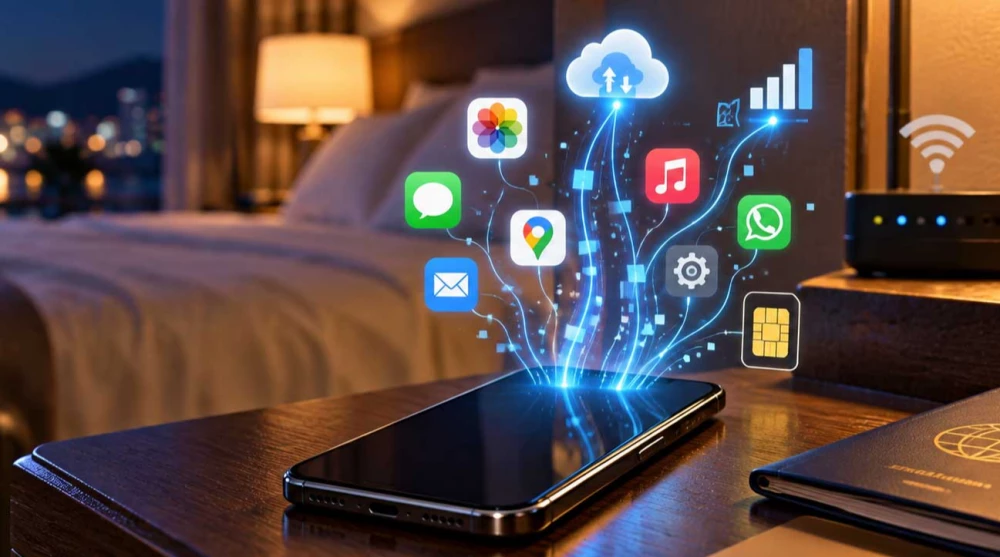
Your phone can use mobile data even when you are not actively using it. Background apps, automatic synchronization, cloud services, push notifications, system updates, photo backups, and system processes can generate mobile traffic without a single app being open on your screen.
An important distinction that we must make right at the beginning is that screen off does not mean mobile data off.
Your phone does not disconnect from the internet simply because the screen is locked. The operating system continues to work and exchange important information. For example, if you use an eSIM USA with a specific amount of included data, the background consumption continues to count towards your total package just like the data you actively use.
Yes.
This is the foundation of the entire article and the reason behind most questions about mysteriously disappearing megabytes. The explanation is simple. Modern operating systems for both iOS and Android allow certain applications and system services to run in the background to provide you with a seamless user experience.
Here are a few typical examples of processes that occur while the screen is locked.
Receiving new email messages.
Delivering WhatsApp, Messenger, or Viber notifications.
Synchronizing your new contacts.
Constantly checking for new messages from chat applications.
Uploading the photos taken during the day to the cloud.
Automatically updating installed applications.
Synchronizing calendar events.
Performing a system cloud backup.
Updating location services data.
Various hidden system services maintaining device security.
The key rule you need to remember is that a locked screen does not mean your phone has severed its connection to the mobile network.
To fully understand the process, we must clearly define this term and distinguish it from active consumption.
Foreground data is the traffic generated while you are consciously and actively using a given application. For example, you open Instagram, watch a video, and use the internet in real time.
Background data means the application continues to exchange information over the internet even though it is not currently open on your screen or the phone is locked. For example, you close Instagram, but the app or its associated system services can still perform certain operations in the background according to the phone settings, such as pre-loading new posts or checking for new reactions.
It is very important to note that background traffic is not necessarily unnecessary or malicious.
A large part of it is absolutely necessary for the normal operation of your smartphone. Without it, you would not receive notifications on time, your emails would arrive only when you open the app, and your data would not be synchronized.
Different types of applications have different background data needs. Here are the main categories.
Messenger
Telegram
Viber
iMessage
Gmail
Outlook
Apple Mail
TikTok
X (Twitter)
Google Photos
Google Drive
iCloud
OneDrive
Dropbox
Google Maps
Apple Maps
Waze
Android and iOS services, push notifications, account synchronization, and others.
The amount of data used varies significantly depending on the application itself and your personal settings. When using an eSIM UK, for example, it is highly recommended to check which apps have permission for Background Data, especially if you have chosen a smaller fixed package.
Many people wonder why communication apps need to spend data when they are closed. Think about it, for these applications to function properly, they must be in constant readiness.
To receive a new message, an activity notification, an incoming call, a sent photo, or a voice message, your phone must constantly maintain communication with the respective servers.
However, this does not mean that WhatsApp is constantly consuming huge amounts of data. On the contrary, text notifications themselves are usually extremely small in size. But if you have enabled automatic download of media files, the received photos, videos, and voice messages in group chats can significantly increase your background consumption.
Yes, and this can be a much more significant source of traffic than anything listed so far.
Cloud services like Google Photos, iCloud, and OneDrive are set by default to keep your memories safe. They constantly scan your device and can automatically synchronize high-resolution photos, screenshots, videos, Live Photos, and other downloaded media files.
A particularly important example is if you shoot a lot of 4K video during your city vacation. As soon as you finish shooting, the phone immediately starts uploading to the cloud in the background, and data consumption at this moment can become truly massive.
If you use an eSIM Japan and take a large amount of photos and videos during your trip, check if automatic cloud backup is restricted to Wi-Fi networks only.
Here we must clearly distinguish the synchronization of media alone from the full device backup.
The apps and system services of iCloud and Google have different settings for these two actions. Your phone's behavior depends on whether you have an Android or iPhone, the operating system version, the specific settings you have applied, the backup applications themselves, and the permission to use cellular data for archiving.
It is important to note that the phone does not automatically perform a full system backup over the cellular network for every user. Usually, this is restricted to Wi-Fi by default, but if your settings have been altered, this can lead to gigabytes being drained.
Yes, depending on your smartphone settings. Here we divide updates into three main types.
These are the updates that are automatically downloaded from the App Store or Google Play.
Major updates to the operating system itself for iOS or Android.
This includes new data, configuration changes, and updates to cached content within the apps themselves.
The important thing here is that a large game update or system update can range from hundreds of megabytes to several gigabytes. The phone does not necessarily download everything over the mobile network, but if you have explicitly allowed downloads over cellular data, the traffic will be billed to your plan.
If you travel with a limited package via eSIM Turkey, you can restrict automatic updates to Wi-Fi to save your mobile data for navigation, communication, and your other active needs.
We need to make a very useful technical distinction here. GPS positioning itself does not equal mobile data usage. The GPS chip in your phone communicates directly with satellites in orbit, and no internet connection is required for this.
However, the applications that use this location can and usually do use data. For example, Google Maps positions your dot on the map via GPS, but it can use the internet connection to load the maps themselves, real-time traffic information, photos and business reviews, route recalculations, and satellite imagery.
Therefore, location services do not automatically generate mobile data, but a location-based application can use mobile data to enrich the experience.
It is highly possible, especially if you have active navigation running, the app updates your route based on live traffic, it receives information about road incidents, or the route continues in the background through voice navigation.
For a long road trip and when using an eSIM Europe, pre-downloaded offline maps can help reduce a portion of the mobile traffic along the route, leaving mobile data strictly for live traffic updates.
Imagine the following concept. Your phone is connected to a Wi-Fi network, but the router signal is extremely weak. To prevent your connection from dropping, the device can automatically start using your mobile network to help maintain a better internet speed.
On Apple devices, this function is officially called Wi-Fi Assist. On Android devices, the names vary significantly depending on the manufacturer, so there is no single universal menu.
The key takeaway here is that the presence of the Wi-Fi icon in the top corner of the screen does not always mean that absolutely all internet traffic is passing solely through the Wi-Fi network.
You arrive at the hotel and connect to their free Wi-Fi. You go to your room, but the signal there is very weak. Your phone periodically loses the stable Wi-Fi connection, but since your mobile data is left on, the smartphone seamlessly switches to the mobile connection of your eSIM to finish the started download or synchronization.
Even when the hotel offers Wi-Fi, when using an eSIM Caribbean it is a good idea to periodically check your actual consumption if mobile data remains constantly on, as unstable hotel networks are a common occurrence.
If your hotspot remains active and another device like a laptop stays connected to it, the laptop sees an internet connection and can immediately start heavy background processes. These can be system updates, synchronization of cloud services, downloading large email attachments, or refreshing dozens of open browser tabs.
Your phone simply counts all this traffic toward the active eSIM plan. In this case, you are not using your phone, but another device connected to it is aggressively using its mobile connection.
Yes, its potential to consume data is much larger for several reasons. Laptops load full desktop versions of websites, their system and software updates are massive, cloud synchronization involves larger files, and streaming platforms often push higher resolutions to larger screens.
This is an extremely important question for travel eSIM users who use both their domestic physical card and a new eSIM card simultaneously.
To avoid unwanted roaming charges from your home carrier or unauthorized data usage, you must always verify which line is explicitly selected for mobile data. You should also be careful whether your phone has a setting enabled that allows automatic switching of mobile data between the two lines.
After activating an eSIM China, check which line is set for mobile data, especially if you leave your domestic SIM active for calls and text messages.
Your phone has its own local data counter that measures traffic at the device level. The carrier and the eSIM provider rely on network-side accounting.
These values might not perfectly match due to a different time of reporting and refreshing the information, a different reset period of the local counter, delays in platform updates, or a different method of measurement and rounding by the network.
The basic rule you should follow is that for the remaining data on a specific package, the defining factor is the accounting of the operator or plan provider, not the local counter of the phone itself.
It is important to know that usage reporting from the network to the provider's platform does not always happen in absolute real time.
If you actively use the internet at 2:00 PM, your user portal might show the sharp drop in megabytes at 3:30 PM. This reporting delay does not necessarily mean your phone suddenly used those data right when you checked. The consumption was simply processed and reflected in the system at a later time.
You can easily find out where your traffic is going through the built-in tools of your operating system.
Go to Settings, then Cellular or Mobile Service. Scroll down, and you will see a list of all installed applications. Below each name, it states exactly how much mobile data the app has used for the current period.
Go to Settings, then Network & Internet or Connections, and select Data Usage or Mobile Data Usage. The exact menu names vary slightly between brands.
When checking these statistics, pay attention to the total consumption, consumption by specific apps, active and background consumption, as well as the period the statistics cover. Do not forget to reset it at the beginning of your trip.
If you suspect an unusual drain of megabytes, you can apply the following practical diagnostic process.
Check and record the current state of the local data counter on your phone.
Lock the screen and do not actively use the phone for a certain period.
Check the counter again to see the difference.
Open the detailed per-app consumption menu.
Check which specific apps have accumulated mobile data during this period.
Check the system cloud services.
Check if your hotspot was accidentally left on.
Check app stores to see if automatic updates were recently performed.
Check if the Wi-Fi Assist function was triggered.
Ensure the correct eSIM is selected as primary for mobile data.
To restrict background consumption for a specific application, go to Settings, then Apps, and select the application. Enter Mobile Data and turn off the option to allow background data usage.
For overall control, Android offers the Data Saver feature. When activated, the system automatically restricts background traffic for most applications. Restricting background data is helpful, but keep in mind it might delay receiving important notifications, syncing your email, or messages in chat applications.
Apple also provides rich options for controlling mobile traffic. In the Cellular menu, you can directly turn off mobile data access for any app you do not critically need outside. You can also turn off Wi-Fi Assist at the very bottom of this menu. In the Photos settings, you can turn off automatic uploads over the cellular network, and in the App Store settings, you can disable automatic update downloads.
Low Data Mode is a special concept in iOS designed to optimize your traffic. When you activate it, it helps the operating system and most apps automatically limit or stop certain background network activities.
It is very important to understand that Low Data Mode does not mean mobile data is turned off. Your phone still has access to the internet, you can browse websites, and send messages. This is an intelligent optimization, not an absolute blockage of the internet.
This is the direct equivalent of Low Data Mode for Android. When you activate Data Saver, the system aggressively restricts the sending and receiving of data in the background for the vast majority of installed applications.
If you use an eSIM Brazil with a fixed data package, Data Saver or Low Data Mode can significantly help limit unnecessary background traffic during your trip and prevent rapid depletion of the package.
There is no fixed amount of megabytes, and consumption depends entirely on your specific scenario. Traffic can be very small if you only receive text notifications and basic email and contact sync. It can also be significant during active video uploads, large backups, automatic system updates, or a forgotten hotspot.
It is not the physical time the phone sits locked on the table that determines total consumption, but the specific processes the device performs during that time.
Yes, it is entirely possible, but for this to happen, there usually must be a specific process generating such a serious volume of traffic.
If you recorded a long 4K video during the day, it is a potentially very large file. When the background cloud upload starts at night, it can easily consume several gigabytes. The same applies if the phone acts as a hotspot and a computer decides to download a large software update. The sudden disappearance of several GB should not be simply explained by the fact that the phone is running in the background. You must always find the specific source of this massive transfer.
To save your package only for the things you truly need, you can follow these steps.
Always download navigation maps in advance.
Download your favorite music or podcasts before your flight.
Download video content only when connected to stable Wi-Fi.
Set photo backups to occur only over Wi-Fi.
Disable app updates over the cellular network.
Activate Low Data Mode or Data Saver right upon landing.
Ensure the phone does not compensate for weak hotel internet through Wi-Fi Assist.
Be extremely careful when sharing internet to laptops.
Regularly monitor your usage in the phone settings.
Use hotel Wi-Fi for large downloads when the network is secure.
When traveling with an eSIM Canada, for example, pre-downloading maps, music, and video content can leave a larger portion of your package for the things you actually need mobile internet for.
If you absolutely want to stop all mobile consumption, the only completely secure solution is to turn off mobile data from the settings. This severs the connection at the carrier level in the phone.
However, keep in mind that your apps will not have access to mobile internet outside Wi-Fi zones, and you will not receive important messages on the go.
Here is a good final breakdown of the states. With the screen off, the internet can still work. With a closed app, the associated background services can still run. Low Data Mode reduces certain background traffic but does not stop the internet entirely. Turning off mobile data is the only action that completely stops the cellular connection.
It is not mandatory. If you have correctly set your limits and background consumption is within normal ranges, there is no reason to create the discomfort of constantly turning the profile on and off.
But if your package is very small, you categorically do not want to generate any traffic while you sleep, or you have reliable Wi-Fi in your room, you can temporarily turn off your mobile data.
It is extremely important that you do not delete your eSIM profile. Temporarily disabling the line is not the same as deleting the profile, which is an irreversible process.
Choosing the right plan is the first step toward not worrying about background consumption. If you mainly use navigation, send text messages, and check emails, small packages are perfectly sufficient. If you regularly scroll through social media and stream music, you will need medium-sized plans. If you upload video, frequently enable a hotspot for other devices, and rely on constant cloud backups, the largest packages or plans with unlimited data are recommended.
Whether you choose an eSIM Maldives or a plan for another destination, the necessary amount of data depends much more on how you use your phone than simply on the duration of your trip.
Through the platform, the user can conveniently monitor their consumption directly from their profile. This information is provided and updated by the respective network operator. For those who have chosen unlimited plans, the total consumption is reflected according to the specific fair usage policies of the respective local operator.
We do not claim that the reported consumption in the platform is always absolutely in real time, as it is normal to have a slight technical delay in the data refresh from the network provider.
Your phone does not stop communicating with the internet just because the screen is locked. Applications, cloud services, notifications, automatic synchronization, navigation, background updates, and devices connected via hotspot can all use mobile internet in the background.
In the vast majority of cases, this relatively small background traffic is a completely normal, healthy, and necessary part of your smartphone's operation.
However, if you wake up and see unusually large consumption, do not automatically assume that the eSIM is spending data on its own. Instead, check the per-app consumption, cloud archives, updates, connected devices, Wi-Fi Assist settings, and cellular line settings.
The best way to control your travel eSIM package is not to constantly disconnect your phone from the internet and deprive yourself of connectivity. Instead, know exactly which apps and system features use mobile data and intelligently limit the ones you do not need during your vacation.
Yes, modern smartphones continue to use mobile data even when the screen is off. The operating system maintains an active connection to perform background processes like receiving notifications, syncing emails, and updating location data. A locked screen does not mean the connection to your carrier or eSIM provider is dropped.
Apps need constant internet access to stay ready and provide you with timely information. They use background mobile data to deliver incoming messages, social media notifications, or to update their internal databases. Without this traffic, you would not receive real-time alerts until you specifically open the application.
The biggest consumers of mobile data are usually cloud storage apps like Google Photos and iCloud, which automatically upload photos and videos. Social networks and streaming platforms can also generate significant traffic by pre-loading content. Navigation apps and messaging services with automatic media downloads enabled contribute heavily to the usage as well.
Yes, cloud services can use your mobile plan to create backups or sync media files. While a full system backup usually requires Wi-Fi, automatic uploads of photos and videos often occur over the cellular network depending on your settings. To avoid quickly draining your package, restrict these processes to Wi-Fi connections only.
App updates and system software can be downloaded over mobile data if you have explicitly allowed this option in your device settings. A major update can reach several gigabytes in size and quickly deplete your limited plan. It is highly recommended to set automatic updates from the App Store or Google Play to occur only when connected to Wi-Fi.
Absolutely, features like Wi-Fi Assist on iOS or their Android equivalents automatically switch to cellular data when the Wi-Fi signal is weak. This means that even if you see the Wi-Fi icon, your device might secretly use your eSIM package to maintain a stable connection. Turning off this feature is advisable when relying on slow and unstable hotel networks.
You can monitor your consumption directly through your smartphone's built-in settings. On an iPhone, go to the Cellular or Mobile Service menu, and on Android, check the Network & Internet section. There you will find a detailed list of all installed applications and the exact amount of traffic each one has generated.
Yes, your phone can consume several gigabytes without your intervention if it starts a heavy background process. The most common reasons for this include automatically uploading 4K videos to the cloud, downloading a large system update, or running an active hotspot to a computer. For such a massive transfer to happen, there is always a specific process running hidden from the user.
The most effective way is to activate the data saving feature, known as Low Data Mode on iOS or Data Saver on Android. You can also manually disable background mobile data usage for specific apps through your phone's settings. Turning off automatic updates and photo syncing outside of Wi-Fi networks further protects your data package.
It is not mandatory to turn off your eSIM at night if you have properly restricted heavy background processes like updates and backups. However, if you have a very small data package or stable Wi-Fi in your room, temporarily turning off mobile data is a safe precaution. Never delete the eSIM profile itself from your device, as this action is irreversible.