19.10.2026
Let us start with a very real and common situation that almost every active traveler has faced at least once. You arrive in a new country, install your travel eSIM, and see that your phone successfully connects to the local mobile operator. The 4G or 5G signal icon proudly shines on your screen. Everything looks perfectly normal, but when you open your browser to load a map or check your messages, the pages simply do not load.
The main reason for this frustrating situation is very often an incorrect or missing APN setting.
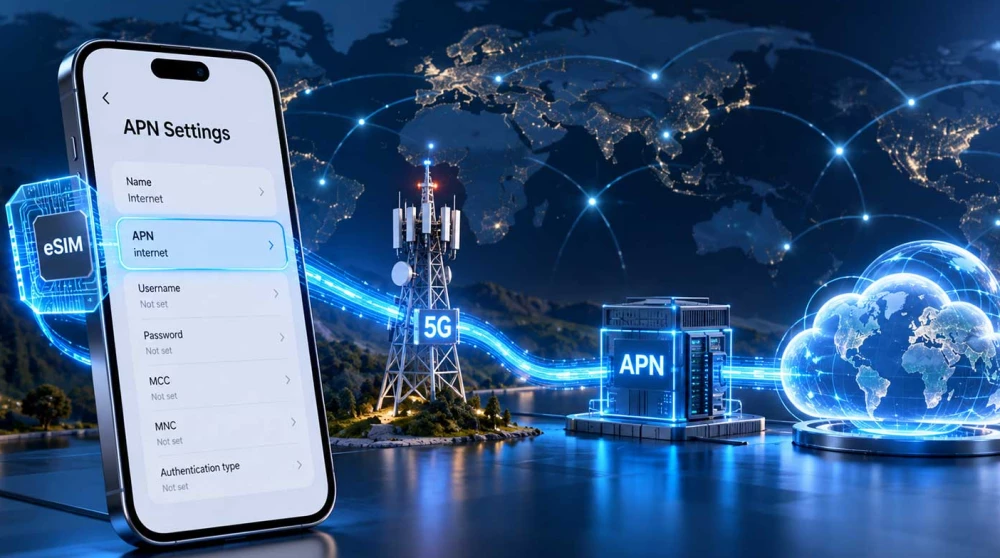
APN (Access Point Name) is a network setting that determines how your phone establishes a connection with the mobile network to gain access to the internet.
It is crucial to understand right from the start that having a strong network signal does not automatically guarantee an active internet connection. The signal only means you have access to the basic cellular network. For example, when you use an eSIM UK, your phone might successfully register to a local British operator, but for the mobile internet to actually work, the technical conditions for establishing a data connection must be met, which includes having the correct APN configuration.
The abbreviation APN stands for Access Point Name. To easily understand its function, you can think of it as a virtual portal or a bridge between the operator's mobile network and the public internet.
This setting has three primary and very important functions for your device. First, the APN setting identifies the required mobile internet network service that your phone wants to connect to. Second, it actively participates in establishing the actual connection to the data network. Third, it allows the mobile operator to apply the appropriate network settings for the specific service you are using, including security and routing rules.
A very important clarification must be made to avoid confusion: an APN is not a Wi-Fi password, it is not the name of a mobile operator, and it is definitely not a standalone internet service. It is simply a text parameter, often just a single word or a web address, that tells your phone exactly which path to take to reach the internet.
To avoid diving into unnecessarily complex telecommunication protocols, we will explain the technical process as understandably and logically as possible. The path of your connection looks like this:
Phone → Local mobile network → APN configuration → Provider's network → Internet
Here is exactly what happens step by step inside your device:
The main technical takeaway here is that registering to the mobile network (getting signal) and establishing an internet connection are two completely different processes. You can have perfect signal for voice calls, but without the correct APN, the internet simply will not work because the phone does not know to which "portal" it should direct its data requests.
Many users wonder why the settings that work perfectly with their home physical SIM card are not suitable for their new travel eSIM. The answer lies in how international mobile services are structured.
There are several main reasons for this discrepancy. Your travel eSIM uses a completely different mobile service provider compared to your home operator. This means it relies on different network infrastructure, different international roaming agreements, and a completely different configuration of the internet service itself.
For example, your home SIM card might use an APN configuration like "internet.home", while your travel eSIM might require an APN configuration like "globaldata". You should never assume that the APN setting of the local operator in the country you are visiting is the correct one for your travel eSIM. In roaming scenarios, the required APN is almost always determined by the provider of the plan itself, not by the cell tower you are connecting to.
When using an eSIM Europe, the required APN might be completely different from that of the operator your phone physically connects to in the respective country. This is because the internet service is routed and provided according to the specific technical specifications of your eSIM plan.
This is one of the most frequently asked questions, and the short answer is: in a very large percentage of cases — yes.
Modern smartphones are highly intelligent devices and can automatically receive, read, or apply the appropriate APN settings immediately after you activate the profile. However, whether this happens depends on a few key factors: the specific eSIM profile and how it is programmed, the service provider itself, your phone's operating system (iOS or Android), the built-in carrier settings in your software, and the overall network configuration of your device.
It is important to know that not all travel eSIM plans require manual APN entry. If you install the card, turn on mobile data, and everything works flawlessly, you have absolutely no need to go looking for these settings.
If your mobile internet is working normally, there is usually no reason to change or even check your APN settings. This logic follows the official recommendations for the smooth operation of smart devices.
This is perhaps the most useful section if you are currently experiencing connection difficulties. If you are abroad, see full bars of signal, but the internet is missing, the problem could be due to several different factors that you need to check sequentially.
Here are the most common reasons for this situation:
It is important to understand that not every internet connection problem is necessarily caused by the APN. If your eSIM USA shows excellent signal but the internet is not working, first check if the travel eSIM is explicitly selected for mobile data in the menu and whether data roaming is turned on, before rushing to change any APN settings.
If you do need to enter or edit your APN, the process on Android devices is relatively straightforward, although the menus may differ slightly depending on the brand of the phone. Here is a practical guide on where to find them.
For users of Samsung devices, the standard path in the menu is as follows:
Settings → Connections → Mobile Networks → Access Point Names
Once you reach this menu, select the correct SIM or eSIM from the tabs at the bottom or top of the screen. Open Access Point Names and check the current configuration. Enter new values using the Add button only if the provider of your eSIM has officially provided them to you.
For brands like Google Pixel, Motorola, or other devices running stock Android, the typical path usually looks like this:
Settings → Network & Internet → SIMs → Select the specific eSIM → Access Point Names
We clarify that the exact name of the menus depends heavily on the manufacturer and the specific version of Android, but the key phrase you are looking for is always "Access Point Names" or "APN".
For Apple devices running iOS, accessing these network settings is usually even more direct. The typical path to find them is:
Settings → Mobile Data / Cellular → Mobile Data Network
In some specific configurations or older versions of iOS, this menu might be hidden under the Mobile Data Options section.
Important clarification for iPhone users:
Not all iPhone devices allow manual editing of APN parameters. This ability depends entirely on the network settings and permissions that the operator itself has embedded in the profile. If the "Mobile Data Network" menu is completely missing from your screen, it does not automatically mean your phone is broken or that your eSIM is damaged. It simply means the provider has locked these settings so they apply automatically without your intervention.
Entering an incorrect APN can lead to a number of unpleasant consequences for your connectivity, so you must be careful.
Here is what usually happens when there is an error. The internet connection simply will not be able to establish itself. The phone will continue to show full network signal, but browsers and apps will report a lack of internet, and websites will not load. Some specific mobile services, such as MMS or using a Personal Hotspot, may not work correctly or may not start at all. You may need to delete the incorrect profile and reset your network settings to try again.
A crucial warning to all users:
Never copy a random APN from random forums on the internet just because you are using the same local mobile operator. The correct APN must be explicitly provided or confirmed by the provider of your specific eSIM plan. When using an eSIM Japan, you should not automatically enter the APN settings of the local Japanese operator, because your travel plan almost certainly uses a completely different network configuration.
If you are using a regional eSIM plan that covers multiple countries, the network behavior is designed to be as convenient as possible for you.
For example, if you are traveling on a route from France to Germany to Italy, you are using the same regional eSIM profile. This profile might use the services of different local operators in each individual country, but at the same time, it will keep absolutely the same APN configuration provided by your initial provider.
Therefore, the main rule is: changing countries does not mean a mandatory change of APN. Manually changing these settings is necessary only if the official instructions of the specific provider explicitly require it when crossing the border.
This is one of the most important sections in this article because users very often confuse the two settings or think they do the same thing. To provide clarity, we offer the following brief table:
|
Setting |
Main Function |
|
APN |
Determines the required technical configuration to access mobile internet. |
|
Data Roaming |
Allows the phone to use mobile internet through another operator's network. |
As you can see, the two settings perform fundamentally different functions on your device. When using a travel eSIM, which practically relies on international roaming to provide you with connectivity abroad, it is usually mandatory to have both a suitable APN and the Data Roaming switch turned on.
If you are using an eSIM Australia, the correct APN by itself might not be enough. With a roaming plan, you must also check if the Data Roaming option is activated specifically for your new travel eSIM line.
If you have entered the correct settings but still have no connection to the world, do not panic. We provide you with a specific and proven sequence of steps to troubleshoot the problem:
Very important rule: Under no circumstances do we recommend deleting the eSIM profile as a method for initial troubleshooting. Deletion is irreversible and will destroy your plan forever.
To summarize everything discussed so far: The APN is that vital part of the configuration through which your phone establishes its actual access to the mobile internet. With travel eSIM plans, the correct setting is extremely important because the provider used and the roaming infrastructure can differ significantly from those of your physical home SIM card.
The main message you should remember is this. If your mobile internet works smoothly after installation, do not change the APN settings without a reason. But if you have a strong network signal and yet no internet, the APN is the first and most important setting you need to check and correct.
APN (Access Point Name) is a network setting that serves as a virtual portal between your mobile operator's network and the public internet. It provides your phone with the necessary configuration to know exactly how to connect to the data network. Without a correctly configured APN, your device will not be able to establish a successful internet connection, even with full signal strength.
Travel eSIM plans often use network infrastructure and routing that differ from your home mobile operator. Therefore, they require a specific APN, provided by the plan provider, to grant you proper internet access while roaming. If your phone attempts to use your old APN configuration, the connection to the data network will be rejected.
On most stock Android smartphones, you can access these parameters through the main settings menu. You need to go to "Network & Internet", then select the "SIMs" section and tap on your active eSIM profile. There you will find the "Access Point Names" menu, where you can review the current configuration or enter new details.
On Apple devices running iOS, you can find the network parameters directly in the "Settings" menu. From there, select "Mobile Data" (or "Cellular") and then tap on "Mobile Data Network". In this menu, you will see the fields for entering the APN, which you can edit if your eSIM provider requires it.
To enter a new APN on a Samsung device, open "Settings" and navigate to the "Connections" menu. Next, select "Mobile Networks" and tap on "Access Point Names", ensuring you have selected the correct eSIM card from the tabs. Use the "Add" button to enter the values provided by your provider and make sure to save the changes.
In a large percentage of cases, modern smartphones automatically download and apply the correct APN settings immediately after installing the eSIM profile. This depends on the specific provider's configuration, the operating system, and your device's built-in carrier settings. If your internet works normally right after activation, the process was successful and no manual intervention is needed.
Having a signal only means that your phone has found and registered to the local cellular network for basic connectivity. However, to access the mobile internet, the device must establish a separate data connection. The most common reasons for this step to fail are a missing or incorrectly entered APN, as well as having Data Roaming turned off.
If you make a typo or enter the wrong data, your phone will not be able to connect to the operator's internet network. The device will continue to show a strong network signal, but browsers and apps will indicate you are offline and pages will not load. In such cases, you simply need to correct the APN spelling or delete the incorrect profile and create it again.
If you do not see the "Mobile Data Network" option on your screen, it means the mobile service provider has locked these settings. Operators often do this to ensure that the correct network parameters are applied automatically without the risk of user error. This is completely normal behavior and indicates that you do not need to enter anything manually for this specific line.
If you have installed your travel eSIM and the mobile internet is functioning smoothly, you should not make any changes at all. A working connection is a sure sign that the phone has automatically recognized and applied the necessary network configuration for access. Changing the settings without a reason can only break your connection and leave you without internet.