04.05.2026
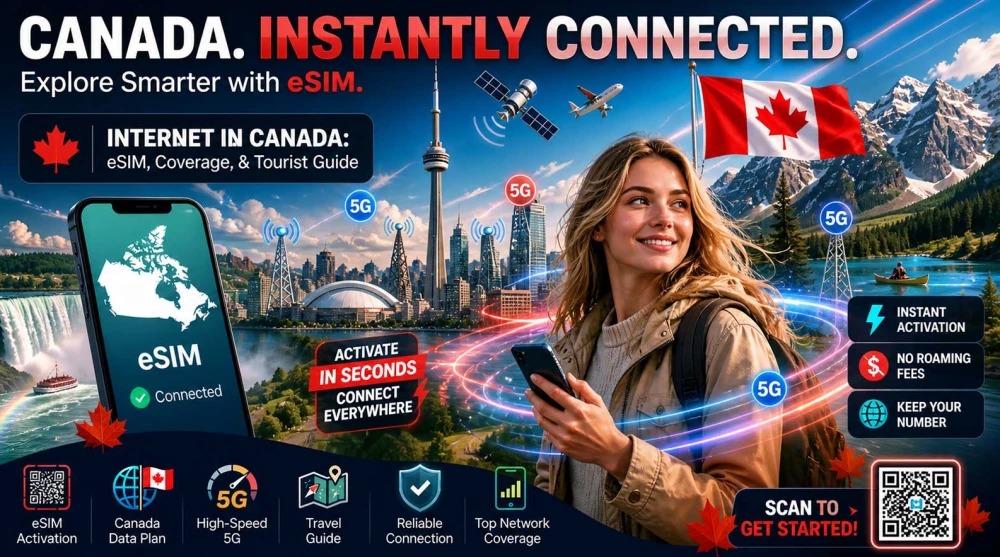
Traveling to Canada? Mobile data can be surprisingly expensive and limited—find out how to stay online instantly with an eSIM, without roaming fees and without surprises.
The easiest way to access the internet in Canada is via an eSIM with instant activation—no contracts, no time wasted at airport kiosks, and most importantly, no exorbitant roaming charges. You can browse and select your eSIM for Canada in advance to be fully prepared before your flight even takes off.
Important: Outside major cities, Canada has massive dead zones—choosing the right internet solution is absolutely critical.
When planning a trip to North America, connectivity is one of the most vital details. Distances are vast, and relying solely on free Wi-Fi is risky and inconvenient. Let’s look at your primary options for mobile data.
Using your standard SIM card in Canada is unequivocally the most expensive choice. Since Canada is outside the EU, data rates are astronomical. Simply opening a few emails or loading a short navigation route can cost you hundreds of dollars. Beyond the financial risk, roaming speeds are often throttled, and your connection has lower priority on local networks. The risk of "bill shock" upon your return makes this option highly discouraged.
Buying a physical Canadian SIM card is the traditional method. You can find operator kiosks at major airports like Toronto Pearson (YYZ) or Vancouver (YVR) and in shopping malls.
However:
This process comes with several headaches. Canadian telecom services are among the most expensive in the world, and tourist plans are often overpriced. You are frequently required to provide a passport for registration, and a provincial tax (which can reach 15%) is always added to the advertised price. Additionally, you must remove your home SIM, meaning you won't receive important SMS messages from your bank for online payment verifications.
The digital SIM (eSIM) is the modern standard for travelers. The process is entirely online, meaning no store visits, no lines after a long flight, and no language barriers. Setup takes about 5 minutes. You receive a QR code via email, scan it, and your profile is ready. Always read your chosen package carefully to ensure it meets your data and duration needs. Activation happens as soon as your phone connects to a Canadian network upon landing. The biggest advantage is keeping your original number active for calls and SMS while using the eSIM exclusively for high-speed data.
👉 Check all eSIM plans for Canada and choose the right one before your flight.
Choosing the right service depends on your priorities, but the comparison clearly shows where the advantages lie.
| Feature | eSIM | Local SIM | Roaming |
| Price | Mid / Good | High | Very High |
| Convenience | Maximum | Medium | High |
| Hidden Fees | No | Yes | Yes |
| Instant Use After Landing | Yes | No | Yes |
| Keep Your Number | Yes | No | Yes |
The Canadian telecom market is dominated by three giants known as the "Big Three". They own the infrastructure, and almost all other brands operate on their networks.
While these operators maintain high standards, their retail prices are steep. Investing in a travel eSIM that uses these networks is far more cost-effective for visitors.
Canada's geography is a massive challenge for mobile networks. It is the second-largest country in the world, with a population concentrated primarily along the U.S. border.
Coverage in metropolitan areas is flawless. Expect excellent 4G LTE and widespread 5G. Speeds are very high, allowing for 4K streaming and seamless social media uploads. Cities like Calgary, Ottawa, and Edmonton also offer top-tier infrastructure.
In popular spots like Niagara Falls or the centers of national parks (Banff and Jasper towns), coverage is good. Operators invest heavily here due to high traffic. However, during peak summer months or holidays, networks can experience temporary congestion, slightly lowering speeds.
IMPORTANT:
Massive “dead zones” are a harsh reality in Canada. Once you leave major cities and primary trans-Canadian highways, the signal disappears quickly. In the Rockies, northern territories, or even a few hours north of Toronto, you may find yourself with zero signal. This is a geographical fact, not a network defect.
Traveling across Canada requires planning your connectivity based on your mode of transport.
Canada has strong net neutrality laws. No apps are blocked by the government; Google, Netflix, WhatsApp, and social media platforms all work normally without a VPN.
However:
The main problem in Canada isn't censorship—it’s the price. This is one of the most expensive mobile markets in the world.
Many "unlimited" plans are actually subject to a Fair Usage Policy (FUP). This means after a certain data limit, your speed is drastically throttled. To avoid these complications, look at transparent eSIM mobile data plans for Canada, where you know exactly how much data you have.
Planning your usage is essential to avoid running out of gigabytes mid-trip.
Recommendation for Tourists:
Setting up your connection takes about 5 minutes. Always read your package details carefully.
A stable connection is a matter of safety and efficiency in such a large country:
Follow these proven rules to optimize your stay and protect your data.
Before departing for Canada, do a quick check:
If your journey spans multiple countries, check out our guides for neighboring regions:
Canada is vast and beautiful, but navigating it without a reliable connection can turn a dream trip into a challenge. Vast distances require dependable navigation and constant access to information.
By installing an eSIM, you avoid roaming anxiety, store visits, and hidden fees. You are online the second you land, ready to start your adventure.
In Canada, internet is not a luxury—it’s a necessity. With the right eSIM, you save time, money, and unnecessary stress.
Absolutely, digital SIM technology is widely supported by all major mobile networks in the country. It is the most convenient way for tourists to secure mobile data without having to search for a physical store.
All major cities and primary highways in Canada have excellent 4G and a rapidly expanding 5G network. The speeds are very high, allowing for seamless streaming, video calls, and fast content loading.
Yes, due to the country's vast territory, there are large areas with absolutely no mobile signal. This mainly applies to the national parks, the Rocky Mountains, and the remote northern territories, where having offline maps is highly recommended.
Yes, Canada boasts excellent and very fast internet infrastructure in major cities and tourist hubs. You can rely on stable networks for quick browsing and seamless communication. However, outside populated areas, coverage can be unstable or completely non-existent due to the country's vast geography.
Roaming from your home mobile operators in Canada is extremely expensive, as the country falls into a distant tariff zone. Using your standard SIM card can lead to massive bills even with minimal mobile data consumption. Therefore, it is highly recommended to use alternative and more cost-effective solutions during your stay.
Yes, using a digital profile is significantly more convenient because it activates instantly and doesn't require removing your primary card. This way, you keep your original number active for important calls and messages while utilizing affordable mobile data. Furthermore, you avoid the high tourist fees and provincial taxes that are often added when purchasing a physical card in a store.
The optimal amount of mobile data depends on your personal habits, but navigation and basic apps typically consume about 200-500 MB per day. For a one-week trip, a 10 GB package is often perfectly sufficient for comfortable and normal usage. If you plan to work remotely or share a lot of video content on social media, it is best to opt for packages with 20 or more gigabytes.
If you buy a physical local SIM card, you are frequently required to present a passport for registration and fill out paperwork right in the store. To bypass these formalities, you can opt for a digital card, which takes about 5 minutes to activate. The process is entirely online, incredibly fast, and convenient, saving you valuable time after a long flight. Please ensure you carefully read the package you are purchasing to make sure it perfectly fits your connectivity needs.
The telecommunications market in Canada is dominated by three massive companies—Rogers, Bell, and Telus—all of which provide world-class networks. Rogers boasts the most extensive national network and excellent signal penetration in urban areas. Bell offers some of the highest download speeds, with a particularly strong presence in the eastern part of the country. Telus shares a large portion of its infrastructure with Bell and is extremely reliable across the western provinces. By using a travel digital card, your device will automatically connect to the network offering the best signal for your specific location.
The most foolproof way to be online instantly is to purchase and install your digital profile before you even take off for North America. The installation process is effortless and is completed simply by scanning a QR code in your smartphone's settings. When you land on Canadian soil, just turn off airplane mode and enable the data roaming option specifically for your new profile. Your phone will automatically detect the local network and connect to it in a matter of seconds. This allows you to immediately order a ride, check your reservations, and notify your loved ones that you have arrived safely.