24.03.2026
How to get internet in South Africa without paying high roaming fees from the start? This guide covers eSIM options, network coverage, and practical tips to stay connected.
South Africa is a destination like no other. It is a mix of cosmopolitan cities like Cape Town, the raw wildlife of Kruger National Park, and the breathtaking stretches of the Garden Route. However, unlike in Europe, the concept of being "always connected" faces specific challenges here. In South Africa, mobile internet is not just a way to post a photo of the penguins at Boulders Beach – in most cases, it is your primary tool for safety, navigation, and logistics.
In short: The easiest and most secure way to get internet in South Africa is via an eSIM, which is activated in advance and works immediately upon landing. In major cities, the network is exceptionally fast (4G/5G), but in the countryside and national parks, coverage is uneven and requires prior preparation.
Before you pack your bags, you need to understand that in South Africa, the internet is a variable. From scheduled power outages to massive "dead zones" in the province, preparation is everything. Check out the current 👉 eSIM plans for South Africa to guarantee a stable connection before your plane even touches the runway in Johannesburg or Cape Town.
When planning a visit to South Africa, you have several main ways to stay online. Depending on your budget and itinerary, the choice may vary, but here is how things look in reality:
In major cities, WiFi networks in cafes and malls are often excellent and fast. In hotels, however, the situation is different – even in luxury establishments, the connection can be unstable during peak hours. The main risk here is the security of personal data and the fact that WiFi is tethered to a single location.
This is the most expensive possible choice. South Africa is in a zone with extremely high tariffs for European and North American providers. Your bill can swell drastically in just a few minutes of checking emails or maps, making this option completely unviable.
The main operators are Vodacom and MTN. The problem here is RICA registration. By law, every SIM card must be registered with a passport and proof of address. The process takes time, requires waiting in lines, and physical swapping of the chip, which is not ideal if you land late at night or are rushing for a transfer.
This is the modern solution that eliminates the need for RICA and waiting. You install it online, keep your home number active for incoming emergency calls, and have data the moment your phone finds a local network.
To make an informed decision, here is how the main connectivity methods compare:
| Criteria | eSIM (HandySIM) | Local SIM Card | Standard Roaming |
| Price | Low and fixed | Medium | Extremely high |
| Activation | Digital (5 min) | Physical (in-store) | Automatic |
| Bureaucracy | No requirements | RICA (Passport/Address) | None |
| Convenience | ⭐⭐⭐⭐⭐ | ⭐⭐ | ⭐⭐⭐ |
| Security | High (Encrypted) | Medium | High |
| Keep Home Number | Yes (Dual SIM) | No (requires swap) | Yes |
If there is one thing that makes South Africa unique regarding technology, it is Load Shedding. Due to a shortage of generation capacity, the state power utility, Eskom, imposes scheduled power outages across the country.
How does this affect your internet?
The outage schedule varies depending on the area and the "stage" of the crisis. When the power goes out in a neighborhood, the WiFi routers in hotels and cafes shut down instantly (unless the establishment has expensive inverter systems).
More importantly, Load Shedding also affects mobile towers. Although towers have backup batteries, during frequent and long outages, they often fail to recharge fully. As a result, mobile internet can become:
HandySIM Tip: During Load Shedding moments, the mobile network is your only chance for connection, but it is not 100% guaranteed everywhere. Having an eSIM allows you to be flexible and not waste precious time looking for working WiFi under pressure.
👉 Browse plans for South Africa and secure yourself against power outages
South Africa is a vast country, and its scale can be difficult to grasp at first. Outside major urban areas, population density drops significantly, which directly impacts network infrastructure.
In cities, you will often experience fast and reliable 4G and 5G speeds, sometimes comparable to or even exceeding those in Europe. However, once you leave urban areas, coverage becomes far less consistent. Large stretches of road, remote regions, and mountain passes may have weak signal or no coverage at all.
“No Service” zones are a real part of traveling in South Africa and can last for extended periods, especially during long-distance road trips.
The contrast in network quality is significant and depends entirely on the area:
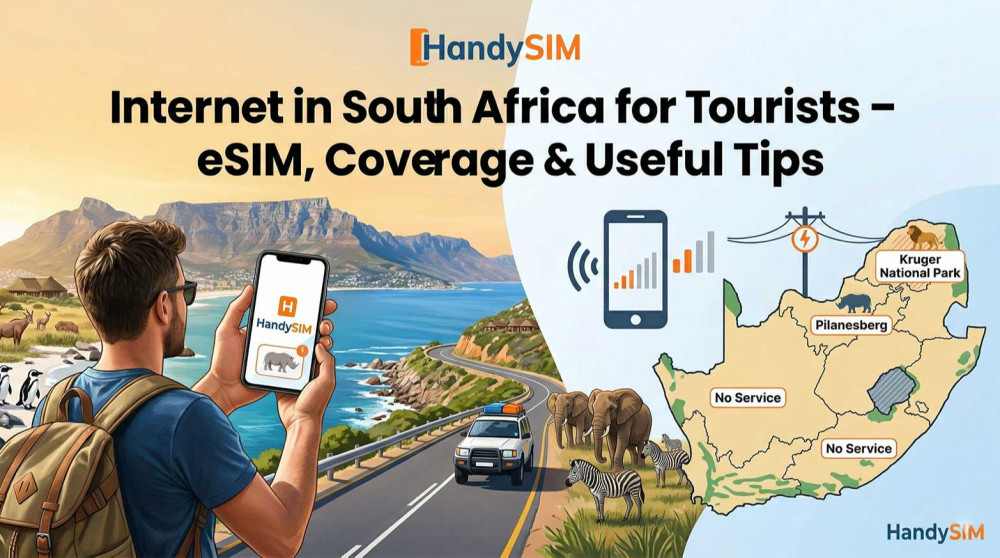
Most tourists visit South Africa for the Kruger National Park. The reality here is stark: inside the park, there is almost no internet. Signal is primarily available only around the main gates and in the large "Rest Camps."
Why is this important? If you are planning a "self-drive" safari, offline navigation is absolutely mandatory. Don't count on Google Maps to recalculate your route among the elephants without an active signal. Continuous coverage is the exception rather than the rule in the wild.
In South Africa, security is a topic that should not be overlooked, and the internet is your primary shield.
With an eSIM from HandySIM, you aren't just buying megabytes – you are investing in your peace of mind, knowing you can always call an Uber or check your location.
South Africa is a destination for road trips. But between the vineyards of Stellenbosch and the lagoons of Knysna, there are dozens of kilometers of mountain passes and empty beaches.
The Problem: Between cities, the signal is often weak or cuts out due to the terrain. GPS navigation without internet often "freezes" just as you approach an important intersection. Combined with Load Shedding, which can shut down the operator's cell exactly while you are passing through, your own mobile data plan becomes indispensable for orientation.
One of the most confusing experiences for tourists in South Africa is seeing full signal bars on their phone, but nothing loads.
Tip: If your phone shows 4G but there is no traffic, try restarting your mobile data. Sometimes this helps the device hook onto a less congested tower.
In areas with weak signal, your phone consumes a massive amount of energy trying to find a network. Combined with the fact that the power might go out for 4 hours just when you need to charge your device, the situation becomes complicated.
A Power Bank is an absolutely mandatory accessory in South Africa. Always carry one with you to ensure your navigation doesn't go out in the middle of Johannesburg during a power outage.
South Africa is not a place where you skimp on maps and communication. Here is what a typical daily expenditure for a tourist looks like:
Our Recommendation:
If you still decide to buy a local physical SIM card, you must go through the RICA process. This is a law in South Africa that requires every SIM card to be registered.
eSIM eliminates this chaos. There is no need for personal identification at purchase, no queues in malls, and most importantly – you don't risk losing your home SIM card while taking it out in a public place.
South Africa is often just the beginning. If your plan includes crossing borders, prepare for regional specifics:
South Africa will charm you with its wild beauty and energy, but it is not a destination for unprepared travelers. Here, the internet is your safety, your taxi, and your guide. Load Shedding and uneven coverage are realities, but with the right tool in your pocket, they turn into minor details of the landscape.
Don't leave your vacation at the mercy of power schedules or local operator bureaucracy. Choose independence and security with an eSIM from HandySIM.
👉 Choose your eSIM plan for South Africa now and travel smart!
Yes, in major cities like Cape Town, Johannesburg, and Pretoria, mobile internet is world-class with excellent 4G and 5G coverage. Speeds are high and stable, allowing for seamless remote work and video calls. However, the situation changes in the countryside, where the signal can drop abruptly.
Vodacom is the undisputed leader in terms of nationwide coverage, especially in remote and rural areas. MTN is their main competitor, often offering higher speeds in urban centers. Before your trip, check the 👉 latest eSIM plans for South Africa to choose the best network for your specific itinerary.
Outside urban areas, the internet becomes more unpredictable. Along main roads and tourist routes like the Garden Route, the signal is usually good, but in mountain passes and less populated provinces, you will often encounter "dead zones." It is highly recommended to always have offline maps downloaded.
This is a specific issue in South Africa that every tourist should be aware of. Load Shedding (scheduled power outages) affects mobile towers—when the power is out in an area for an extended period, the backup batteries at the transmitters can drain. This leads to congestion on the remaining working towers, which drastically slows down the internet or cuts it off entirely, even if your phone shows full bars.
Inside national parks, the internet is extremely weak or completely non-existent. Signal is usually only available around the main gates and in the large Rest Camps. Since the parks are massive, it is critical not to rely on real-time navigation while on safari and to plan your route in advance.
It is generally not recommended, as prices at Cape Town and Johannesburg airports are significantly higher for tourists. Additionally, you will have to go through the cumbersome RICA registration process with your passport, which can be time-consuming. With an eSIM, you skip these headaches and get connected immediately upon landing.
For a short stay of up to a month, an eSIM is the clear winner over a local SIM card. Local cards require RICA registration, which is often a bureaucratic nightmare—you must present a passport and sometimes proof of address, and activation can take up to 24 hours. With an eSIM, the entire process is automated and can be done while you are still at home. This gives you independence from the working hours of mobile operators in SA and ensures you can call an Uber immediately after landing without hunting for WiFi or a telecom office.
Absolutely yes—this is a matter of personal safety. In South Africa, it is not recommended to use random taxis from the street. Apps like Uber and Bolt are the safest way to get around, but they require a constant and stable internet connection to hail a car and track your route in real-time.
For the average tourist using maps, social media, and WhatsApp, a package of 7GB to 10GB per week is optimal. Keep in mind that long distances and intensive use of navigation consume data faster. If you plan on uploading a lot of video content, go for a larger package of at least 15GB.
Public WiFi networks in malls and cafes are unsecured and pose a risk of personal data and password theft. Furthermore, they become completely unusable during Load Shedding if the establishment does not have its own generator. Using a personal eSIM is a much more secure and reliable way to stay online without risking your safety.